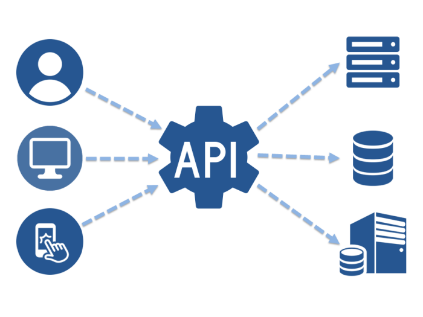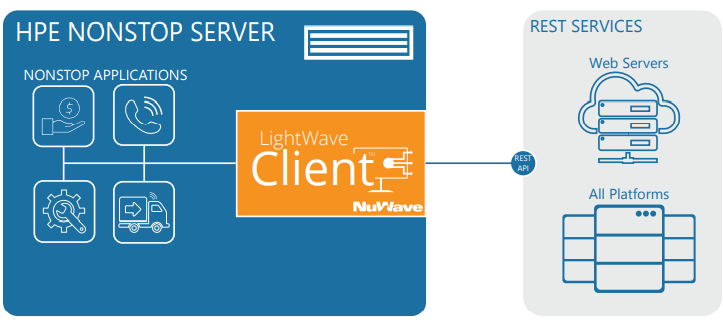
RESTful API opens up Nonstop by enabling its applications to interoperate with services within the enterprise, in the cloud or anywhere on the Internet. LightWave Client™ from our partner NuWave Technologies is the most popular REST client product to run on Nonstop. It enables you to create Nonstop applications to consume remote RESTful Web Services in minutes.
There are many factors that attribute to its success, including a browser-based GUI dashboard, its high performance, extensive diagnostic logging, and more. In addition, one outstanding feature is the ease of configuring and managing API definitions.
In another blog, we have covered how LightWave Client™ can support without Swagger. In this article, we will discuss another unique feature in LightWave Client™ that differentiates the product from other REST products for Nonstop – the ability to support payload other than JSON.
What is JSON?

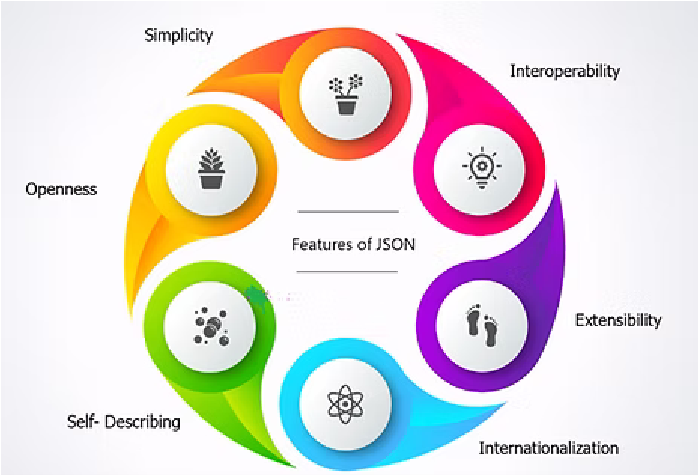
JSON is a lightweight data format that is easy to read and write. It is widely supported by programming languages and frameworks. JSON is also compatible with JavaScript, which makes it a popular choice for web applications. However, JSON has some limitations. For example, it cannot handle binary data efficiently. This is because JSON is a text-based format and binary data needs to be encoded into text before it can be sent. This can increase the size of the payload, which can have an impact on performance.
Another limitation of JSON is that it is not suitable for all types of data. For example, if you are working with large datasets, or data that contains complex structures, then JSON may not be the best choice. In these cases, other data formats such as XML, YAML or Protocol Buffers may be more appropriate.
Other popular payload formats

There may be cases where an application requires more control over the Web service request or response payload. For example, the Web service requires a message structure that can't be created or parsed by the native LightWave Client JSON support, or the message payload is larger than the maximum message size allowed by an interprocess message. For these cases LightWave Client™ supports the BLOB data type.
LightWave Client IPM BLOB Support
When using BLOBs (Binary Large Objects), your application provides or receives the Web service payload as raw data in the IPM or in an Enscribe file. When a file is used, the name of the file is supplied in the request and/or response IPMs.
Use Case – BMC Remedy API
BMC Remedy ITSM is a service management tool that automates the ITIL process in the modern era. They support various forms of service tickets by which users can create requests that flow to other systems within an organization. ...Read More
The Remedy API is one example of how REST payload sometimes is not JSON.
Initiate a REST API call to request for a token.
Example API call
The following example shows how a client creates a POST call and passes the user name, password, and authString in the Request headers using the /x-www-form-urlencoded content type:
host: www.example.com
username=SomeUser&password=mysecretAuthString=authenticationstring
The returned token is in the HTTP body in the form of a string, not in JSON format.
The JWT is signed and base64 encoded string, and is sent back as a response body to the HTTP request:
eyJ0eXAiOjJVVI1LaA8ICJhbGciOjIzTzJlSMzlkA0E4DTAaTkzOAsQogIqhd4AHaLy9lG5tcgxLLmWb59pc19y.
This token will need to be embedded in the HTTP request header to pass authentication.
The client receives the token and uses it in all subsequent REST API calls through the Authorization header using the AR-JWT scheme:
Authorization: AR-JWT eyJ0eXAiOjJVVI1LaA8ICJhbGciOjIzTzJlSMzlkA0E4DTAaTkzOAsQogIqhd4AHaLy9lG5tcgxLLmWb59pc19y.
LightWave Client can handle this easily via BLOB IPM support.
File BLOB Support
Another usage of LightWave Client™ BLOB support is the ability to receive binary file. File BLOBs are similar to IPM BLOBs but Enscribe files are used to transfer the data. When an API definition specifies the HTTP Response Body Source or Target Content Schema as BLOB, and the Data Source or Target as FILE, the DDL generated for the operation will contain a single character field representing the name of the Enscribe file representing the data that is to be sent with the request or that was received in the response.
The data in the file BLOB represents exactly the data that is to be sent or that was received, it is not manipulated by the CLIENT process in any way. File BLOBs are Enscribe unstructured files that are treated as binary streams by the CLIENT process.