Do you remember how you did that two years ago?
I am sure that you can think of cases when you had a hard time remembering the syntax of how to perform certain Nonstop operations because you rarely do them. For example:
- How to set up a New Spooler
- How to configure a new EMS Collector
- How to add a new Netbatch Job, etc.
It doesn't matter how much experience you have on Nonstop, the reality is that if you don't use it, you lose it. You may even get desperate enough to resort to looking it up in the Nonstop manuals, which sometimes could be challenging.
TOP makes it easy
If you use our TOP GUI tool, you can get these done in a breeze. To create a New Spooler, just click on the Spooler component and select New Spooler Config Wizard, which guides you through a step-by-step creation of a new Spooler.
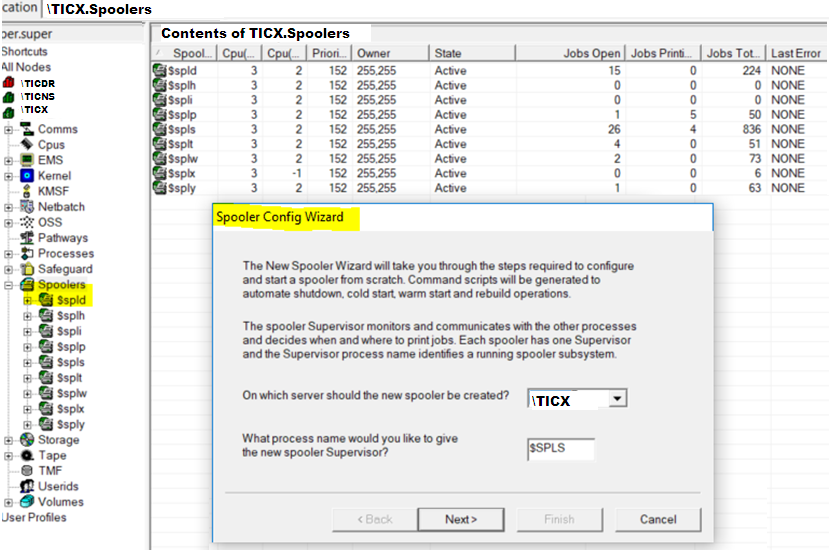
Creating a New Spooler
Watch this video on how to create a new spooler: https://www.youtube.com/watch?v=MXLgTQb1n0M
Similarly, use TOP and right click on the EMS icon to create a New Collector. You will get a step-by-step screen to guide you through the process.
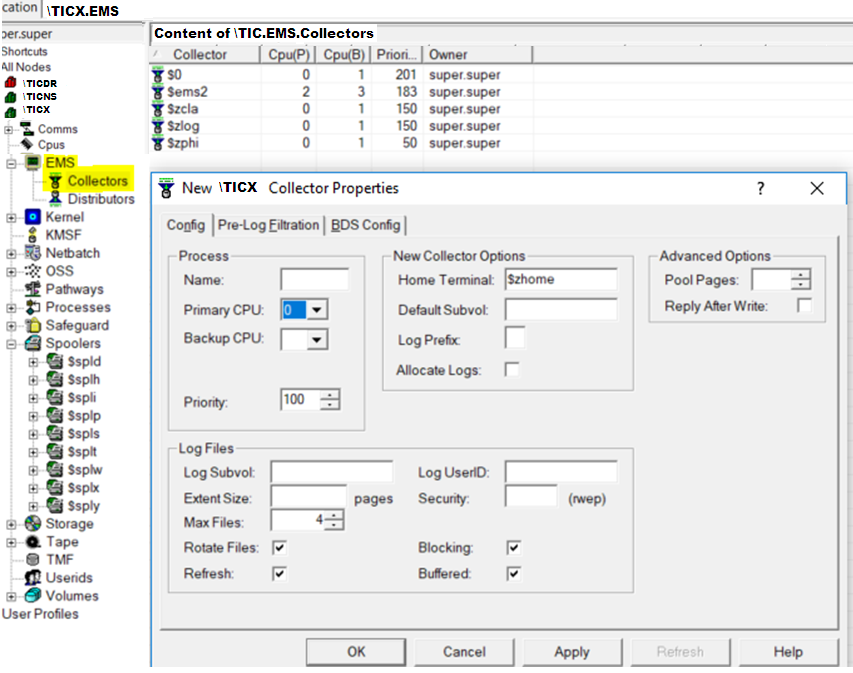
Configuring a New EMS Collector
Watch this video on how to configure a new EMS Collector: https://youtu.be/CuwYTpOXUrE
Managing Netbatch jobs is just as easy with TOP. You can list all the details about the jobs by clicking on JOBS, and right clicking shows the properties of an individual Netbatch job.
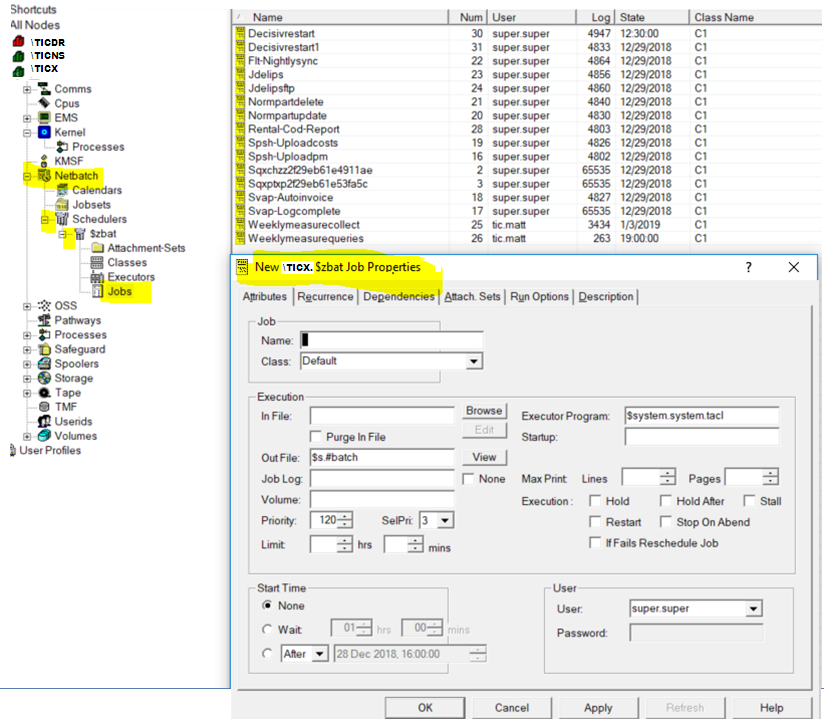
Netbatch Job Properties
And if you want to add a new one, just right click and select "Submit New Job" and you will be prompted through the process.
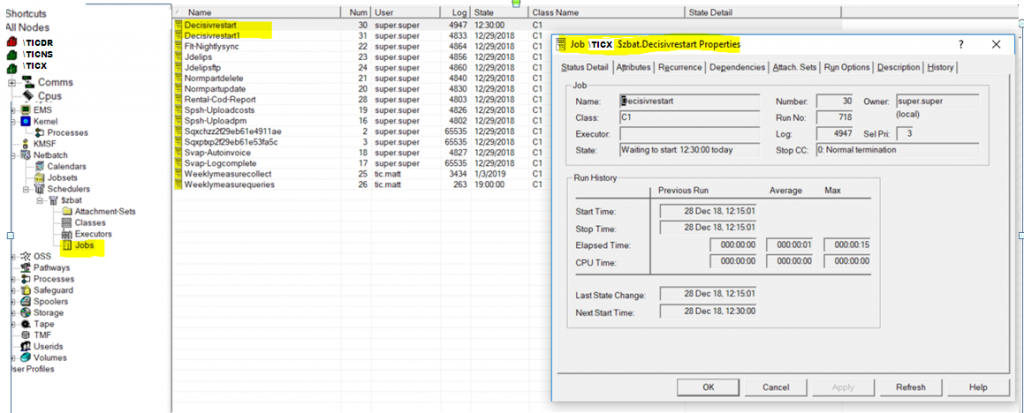
TOP Properties Configuration
In summary, TOP helps everyone, Nonstop novices and experts alike, to perform operations easily via a Graphical User Interface (GUI). Even if it involves an operation that you rarely perform, the dialog boxes and point-and-click interfaces helps you get it done easily.
Are you still not using GUI?
TOP is a powerful GUI operation tool for Nonstop. It has been proven that GUI is more productive than a command line interface for many reasons. Yet, I am sure that some Nonstop folks may insist that it is "easier" to use TACL to perform the same functions. I submit that is a matter of habit or preference, not because it is easier.

Remember the syntax? TOP makes it easy
For example, are you using the COMMAND PROMPT interface to do work on your desktop computer? I suspect not. Most of us, if not all, rely on the Windows Explorer and all its GUI components every day to do productive work on our desktop computers. With TOP, you can now achieve the same level of productivity performing Nonstop operations.
Contact us to learn more about how TOP can help your novice and experienced Nonstop team be more productive with systems operations.