

TOP is a great GUI for just about everything you need to do on your Nonstop system. One of the most helpful features is the ability to easily look at data communications information, especially as it pertains to CLIM IP, or "CIP".
Let's suppose that you want to see who is using TCP/IP on your Nonstop system, and what programs are listening for incoming connections on a particular IP address, and which IP ports they're using. Seems simple, right? But even if you do this on a frequent basis and can recall all of the SCF commands involved, it can be a tedious and time-consuming task:
It is Easy Using TOP
Sign on to TOP and select your system. The system's components appear in a familiar, Windows Explorer-style interface.
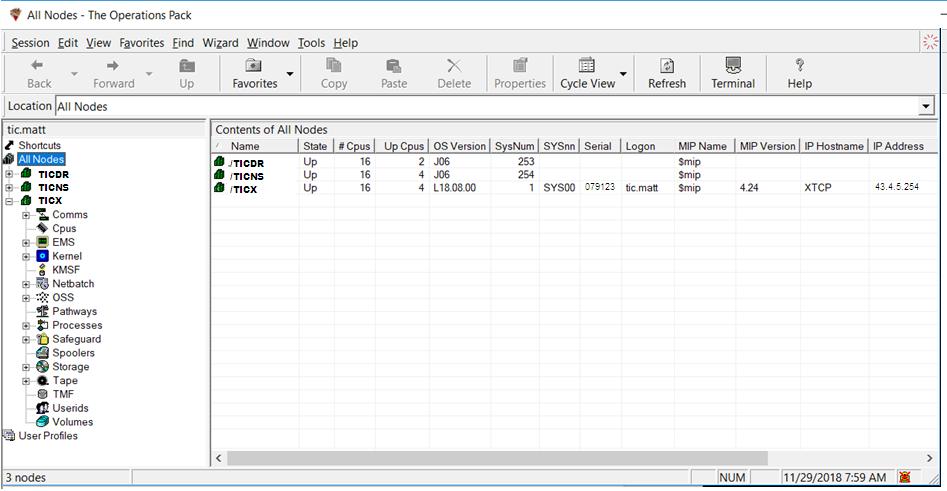
Navigate to "Comms", "TCP/IP", "IP CIP"
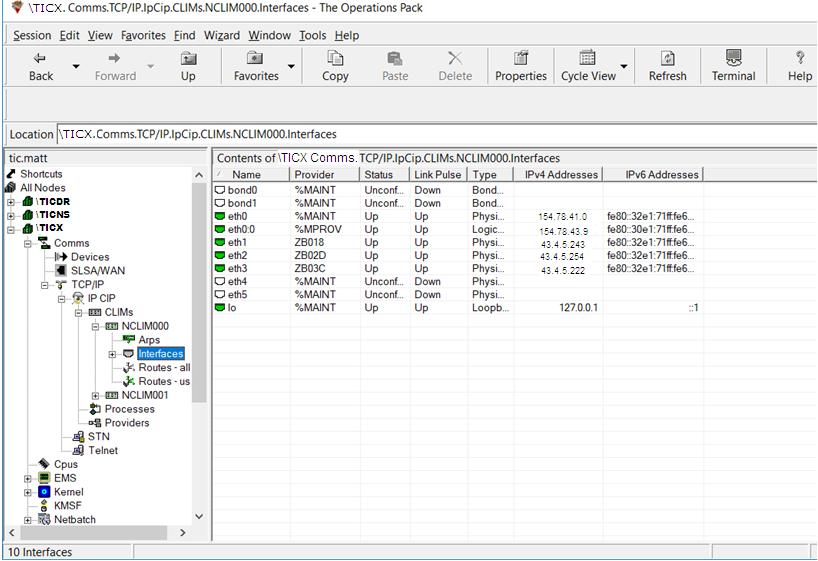
TOP now shows the available IP CLIMs. Select one and click on its "Interfaces". You now see the CLIM's interface information, including which providers are using them and which IP addresses are being served:
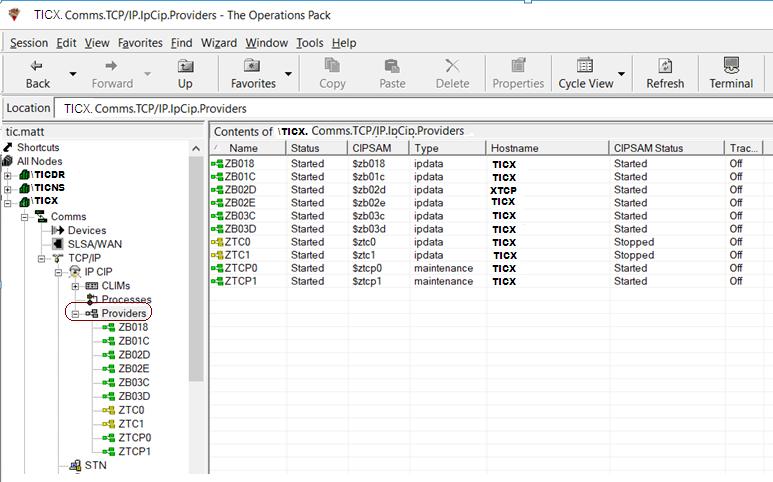
Now click on "Providers". TOP shows information on all the providers:
Next, right-click on a provider and select "Sockets" from the pull-down menu. TOP provides information for all of the current active sockets for that provider:
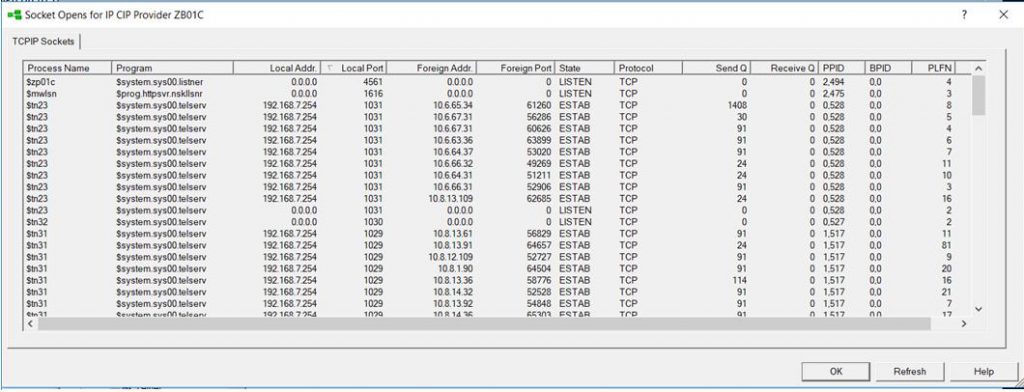
Sort it however you want by clicking on a column heading. For example, by Foreign IP Address, to see who has an active session:
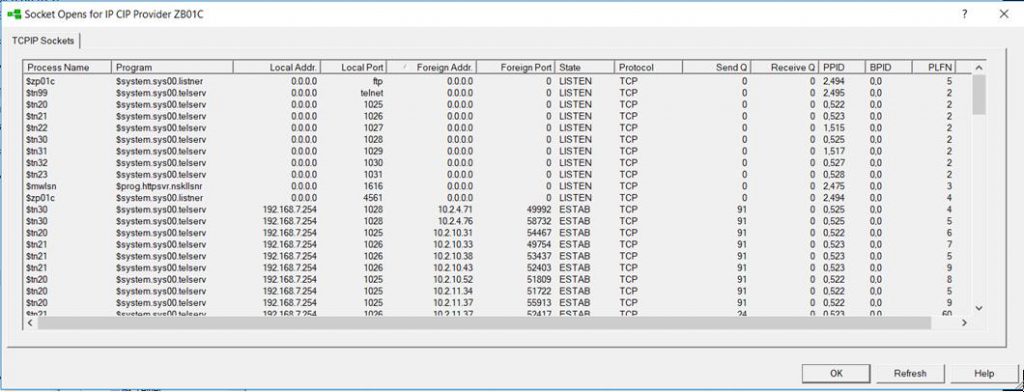
Total time to do this with TOP: about 1 minute, and you don't need to know any command syntax. Information from the TOP display can also be easily copied and pasted into your favorite spreadsheet. It's EASY!
Doing it the Long Way Using SCF
Now, the tedious way to do the same thing using SCF:
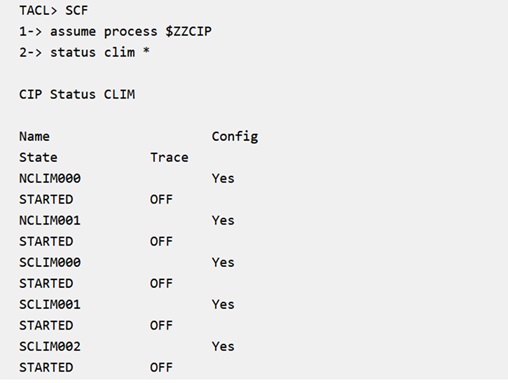
Note that the command returns both IP CLIMs and Storage CLIMs. So, pick an IP CLIM and look at the detailed status. There's a LOT of information that needs to be parsed and understood:
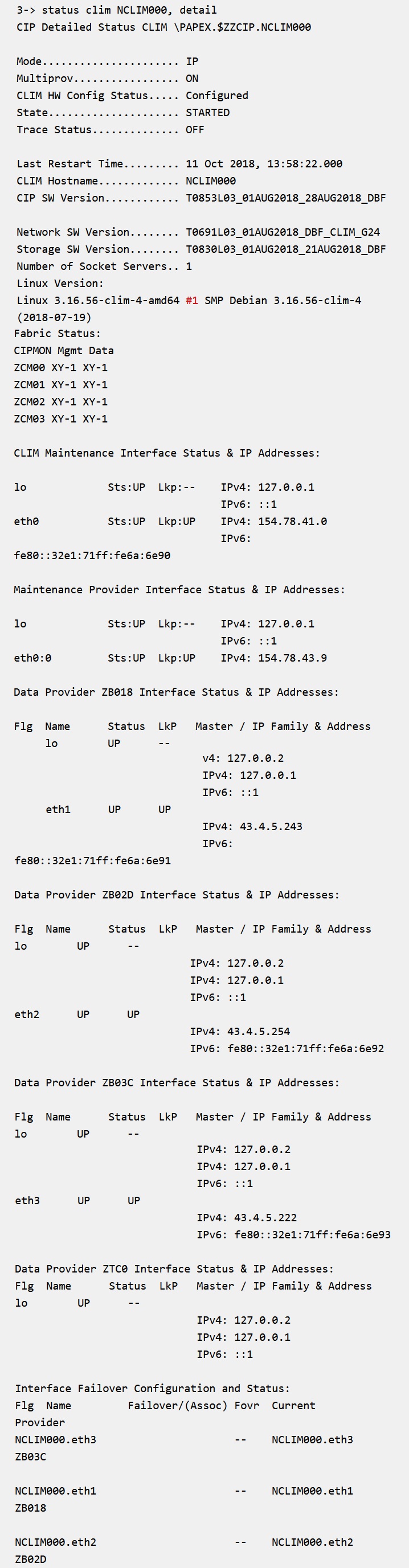
Now you have the information needed to find out which IP addresses are associated with which interface on that CLIM. But who is using those addresses?
Next, find all of the CIPSAM processes – These are called "Providers" in CIP, and are the processes that your program accesses when it wants a connection. Each provider is associated with one or more CLIMs, and there may be more than one provider for a given CLIM:
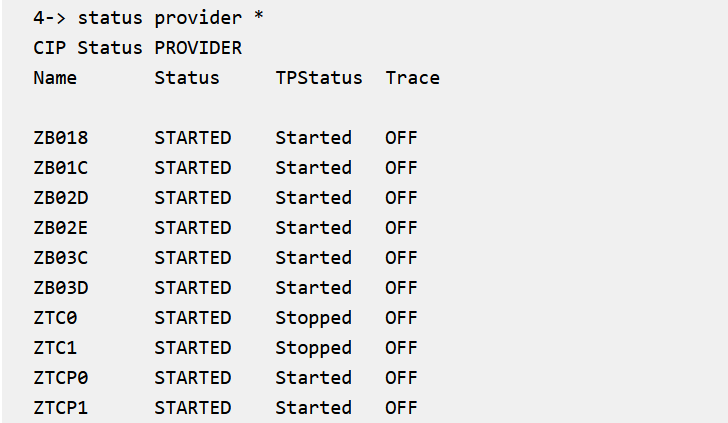
Well that wasn't too hard. Next, find out which provider is associated with the IP address you're interested in:
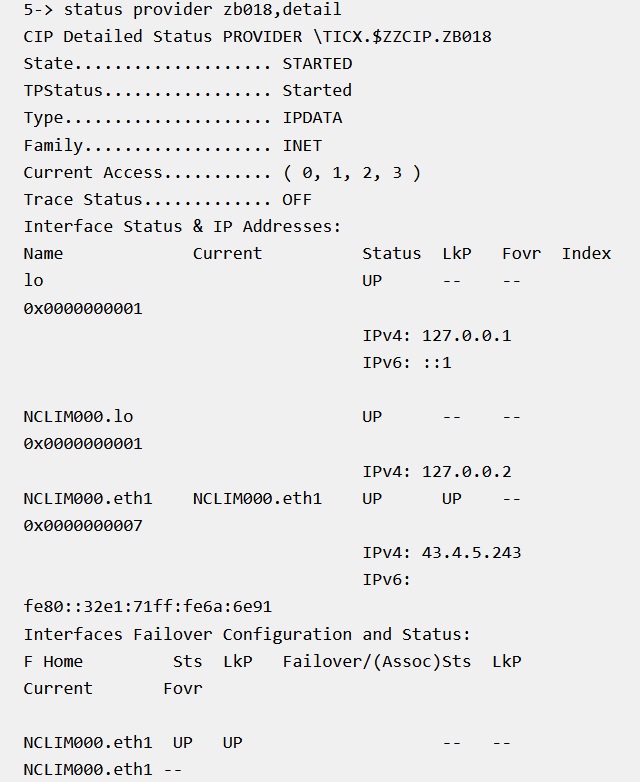
You might need to look at all the providers to find the one you're looking for. But great, now we know which CLIM, interface and IP address is driven by this provider. Now, enter another command to find all of the listeners and established sessions through the provider for that interface:
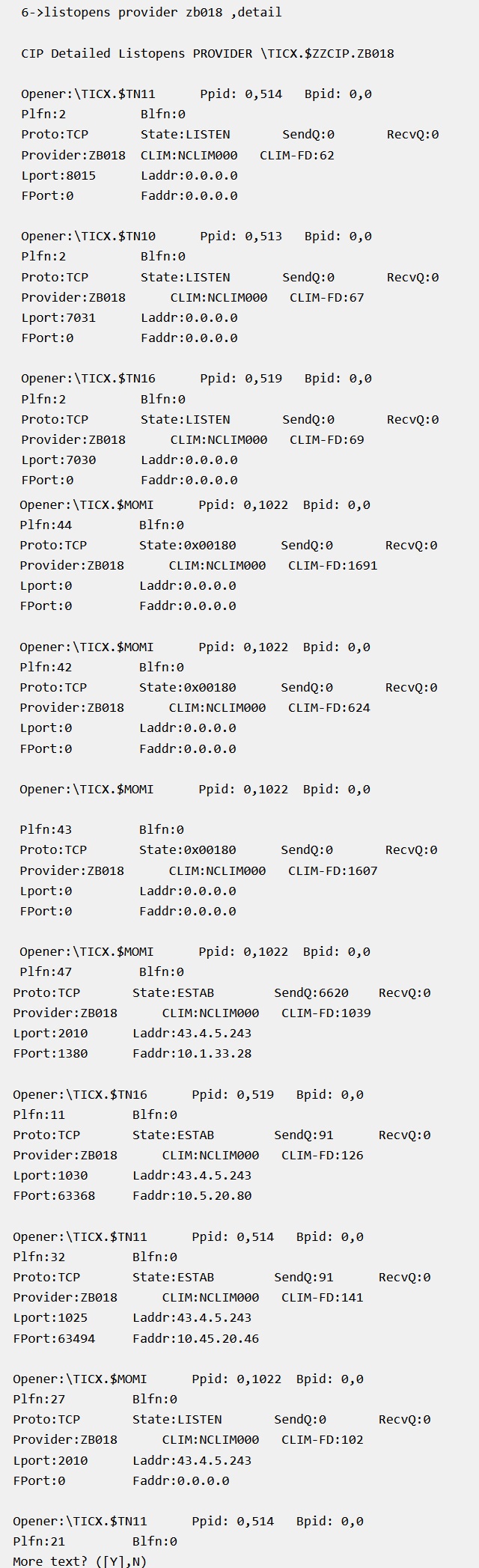
There may be a LOT of listeners and sessions, appearing in no particular order in the SCF output and, as you can see, it's not very easy to read. So next you copy the output from your screen (or log it to a file and copy that) into a spreadsheet, separate it into useful columns of information, and sort it to find what you're looking for.
That all will probably take you about 15 to 20 minutes if you know the commands by heart or maybe an hour or more if, like many, you have to read through the SCF manuals looking for them.
The Comparison
1 minute versus 15-20 minutes. Which way would you prefer?
You can use TOP to facilitate many other Nonstop operations. Contact us to see all the ways it can help you.